Create a Room
This guide will explain how you can create a new Event type or Task type. Since both procedures are really similar we will explain them together. Just follow the one that applies for you.
Step-By-Step Guide
Important
It is assumed that the user is successfully logged in and has the necessary permissions!
On Login the user lands on the Rooms page.
Step 1
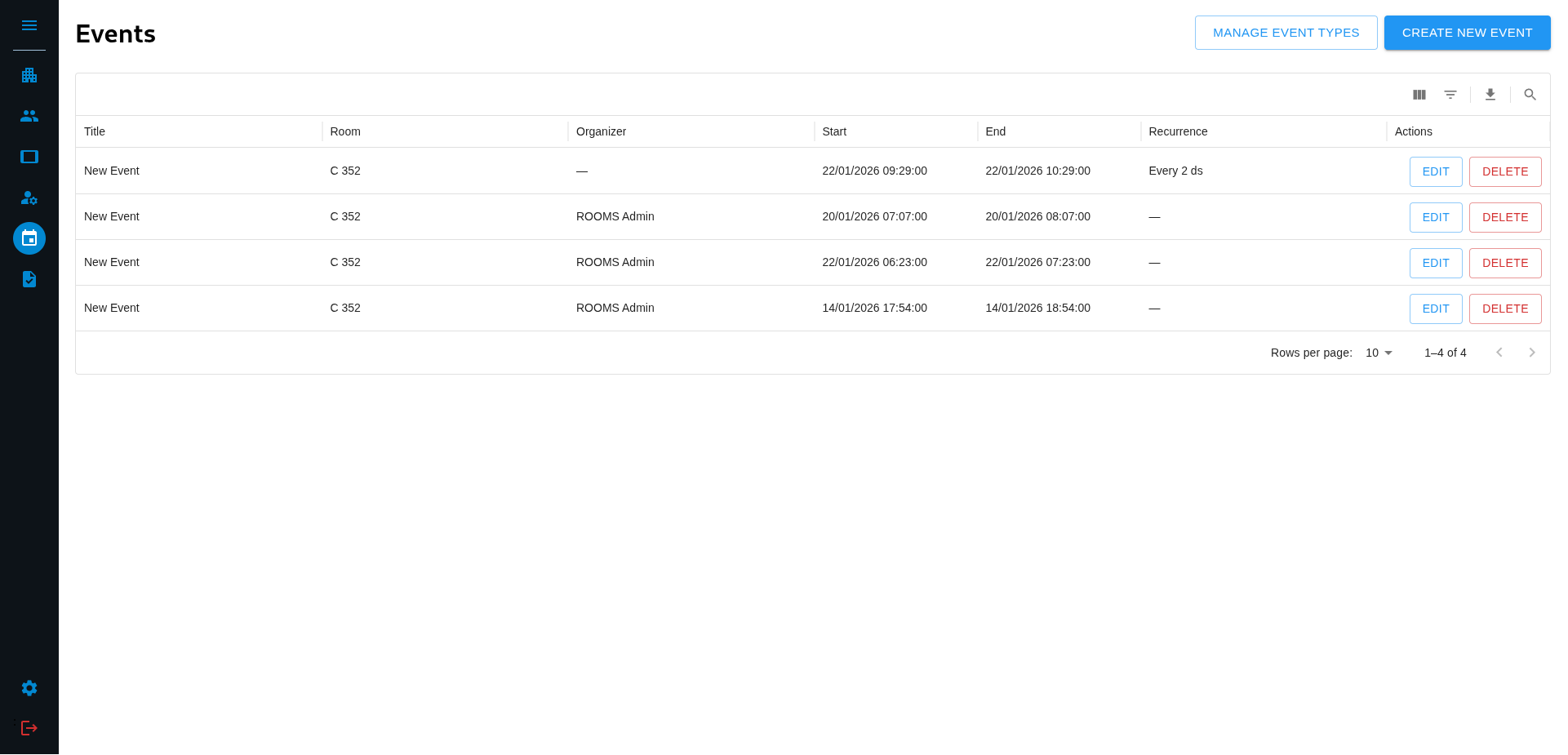
Navigate to the Events/Tasks page by clicking on the according Icon. If you use this App for the first time you can open the sidebar by clicking the Menu Icon on top of the sidebar. This will show you buttons with text which makes navigating easier for new users. Then just click on either “EVENTS” or on “TASKS”. This will bring you to the desired page.
Step 2
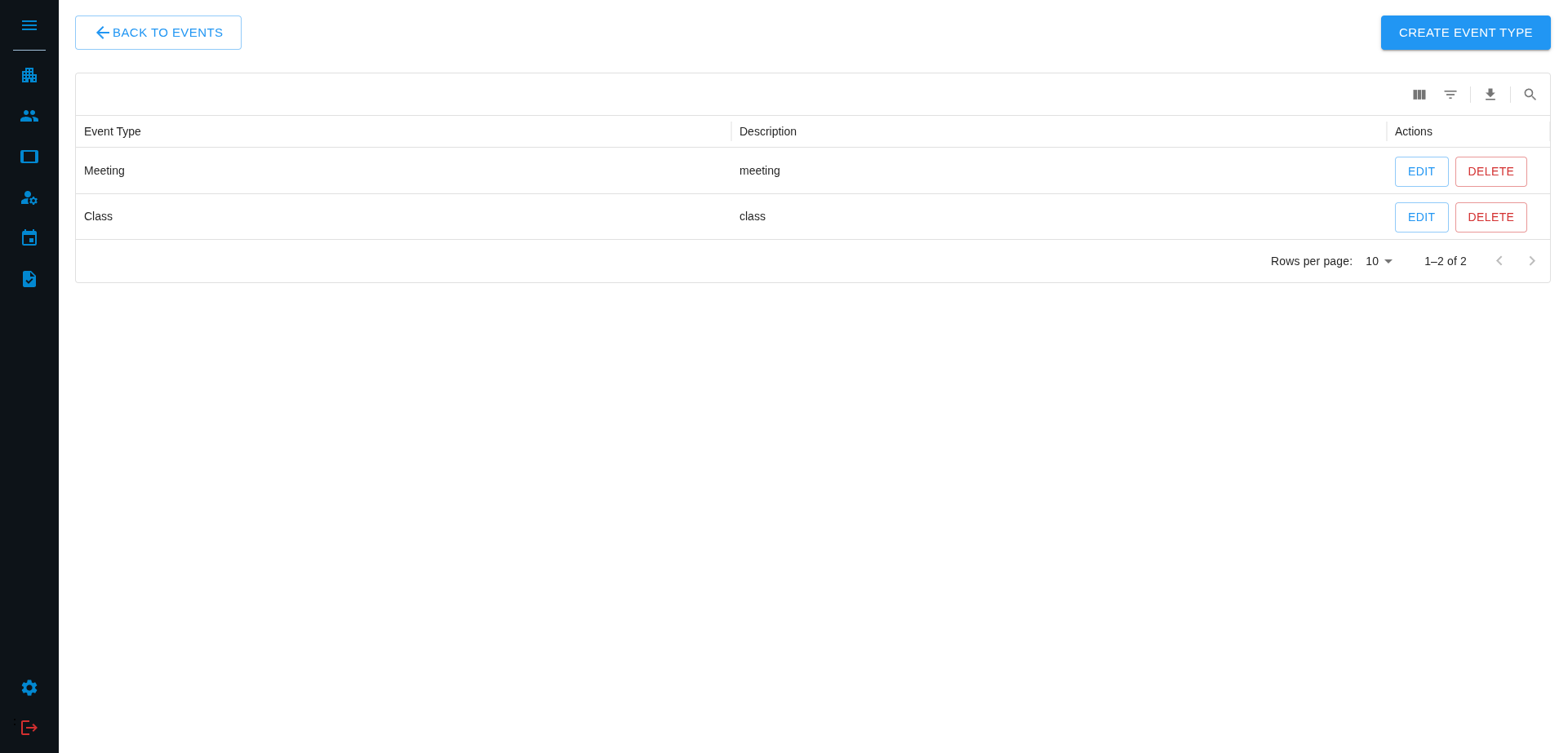
Once you are on the Events/Tasks page you can click on “MANAGE EVENT TYPES” or “MANAGE TASK TYPES” in the top right corner depending on the one you chose. This will bring you into the EventTypes/TaskTypes page.
Step 3
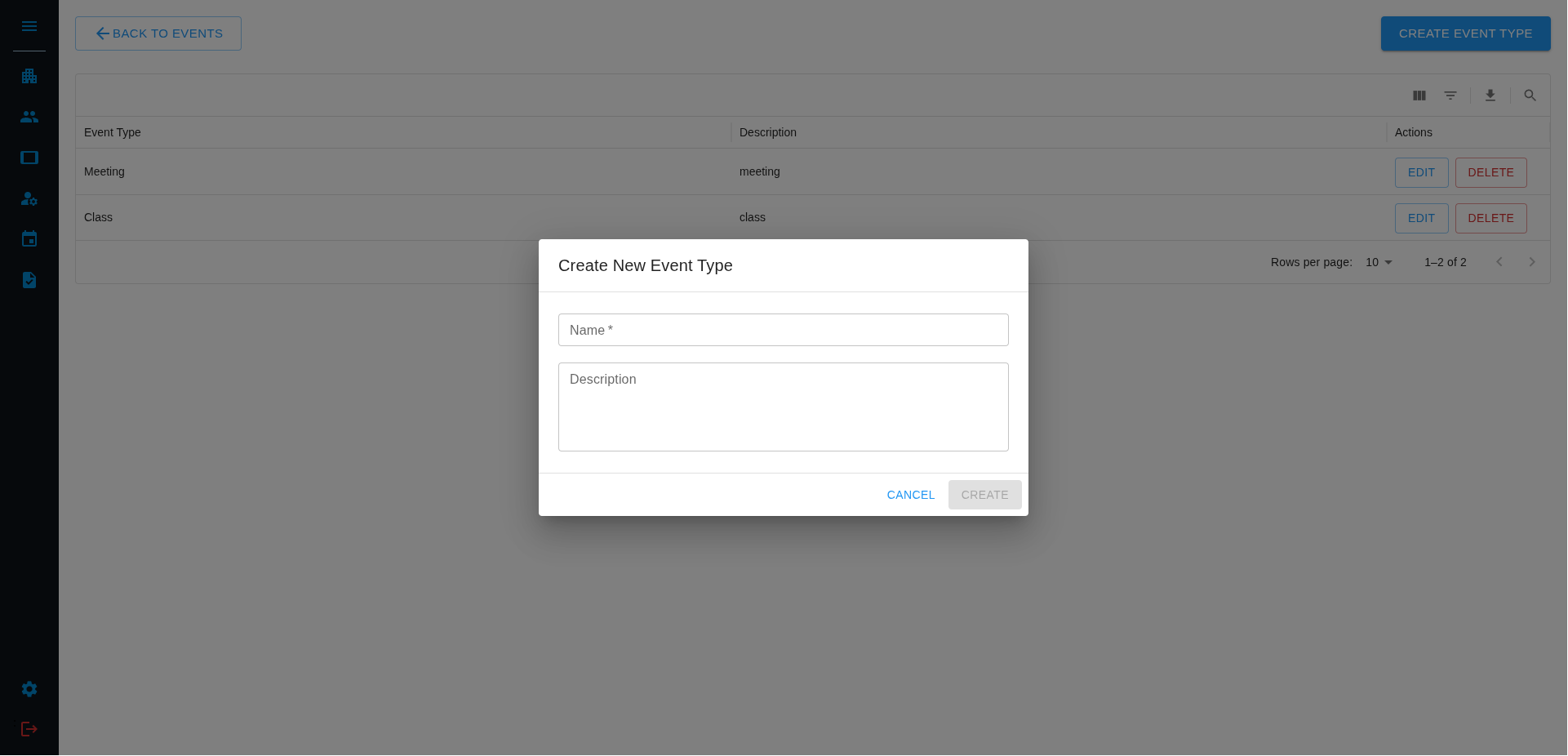
Here you can either edit an existing EventType/TaskType or create a new one by clicking “CREATE EVENT TYPE” or “CREATE TASK TYPE” in the top right corner. This will open a dialog window.
Step 4
Fill out the respective form by giving a required name and an optional description.
Step 5
Once you filled out these fields you can click on “CREATE” which will bring you back to the EventTypes/TaskTypes page and show all EventTypes or TaskTypes, including your newly created one
This is the intended way for managing many Event/Task Types, however for practicality reasons there are some other ways
Other Options
Sometimes you want to create a new Event/Task type while editing an existing Event/Task. You can do so in two places:
In Create New Event/Task
When you create a new Event/Task the form has a dropdown where you can select the desired Event/Task type. However it allows you to create a new type by clicking on “Create new Event/Task type” at the bottom of this Dropdown. This will open a dialog where you can create a new type. This step is also explained over here
In Calendar View
When you are in the Rooms page and click on “EVENTS” on a specific room you get into a calendar view. When you click on a Event/Task it opens a dialog where you can adjust the properties of this event. There you have the same dropdown as mentioned above. When clicking on “Create new Event/Task type” at the bottom you open a dialog where you can enter the information for a new type.